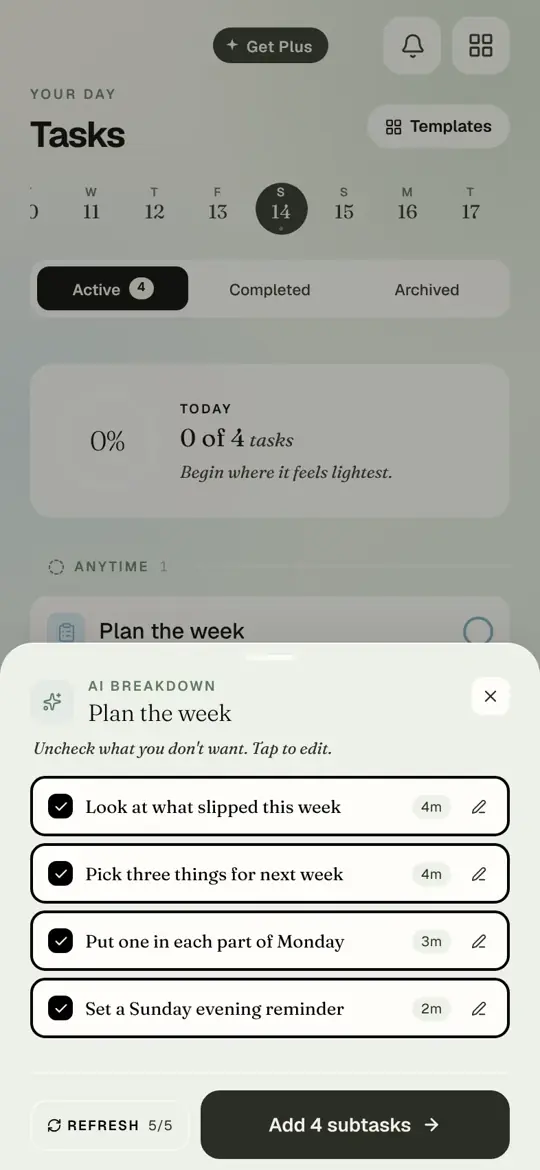
"Plan the week" is not a task you can start. "Look at what slipped" is. Keeper does the splitting.
Watch it
Recorded in the app
Open Tasks
Step by step
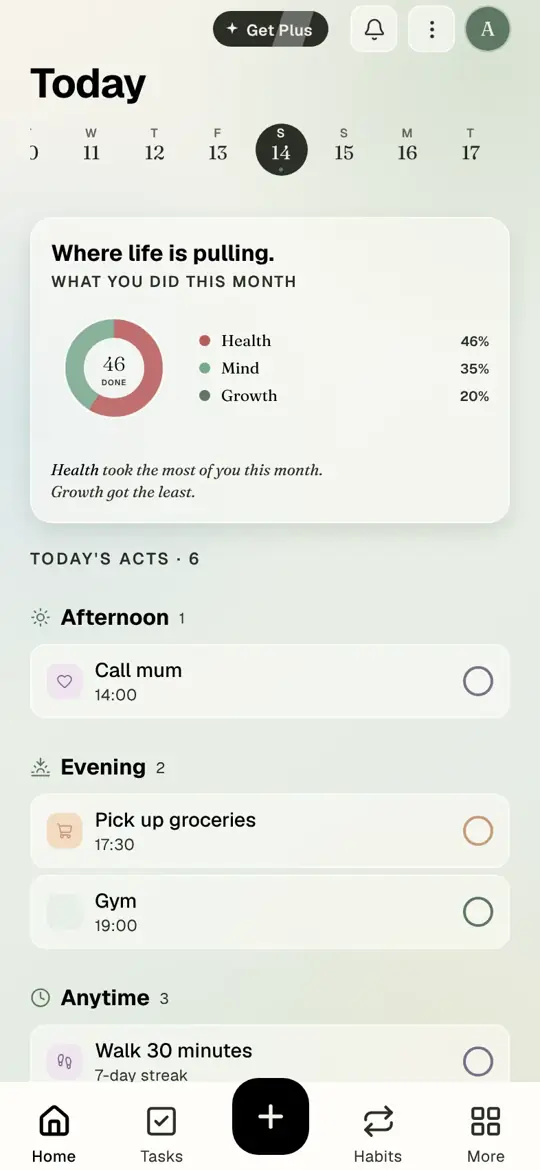
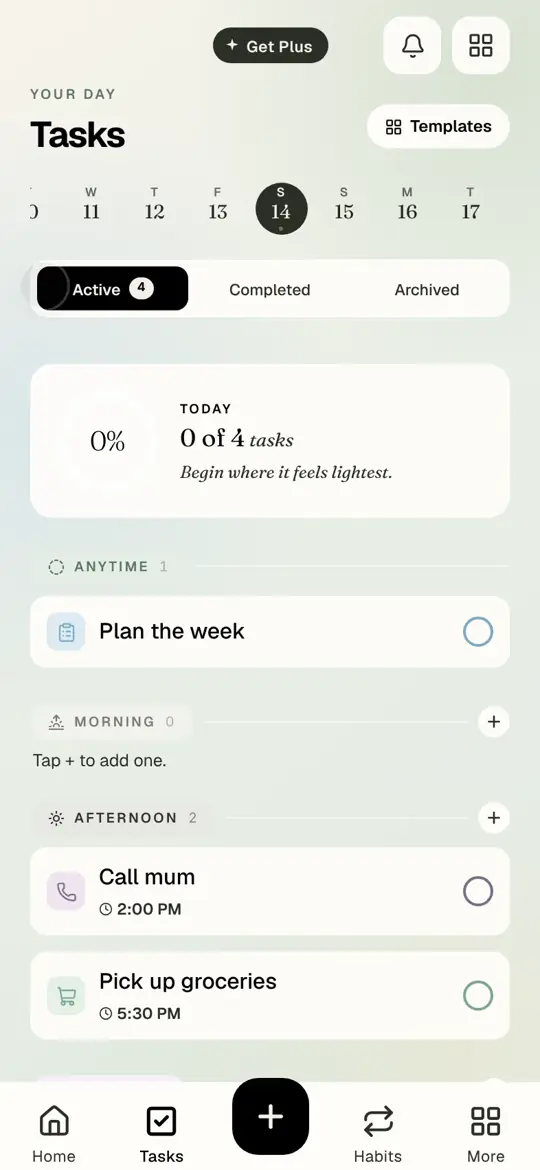
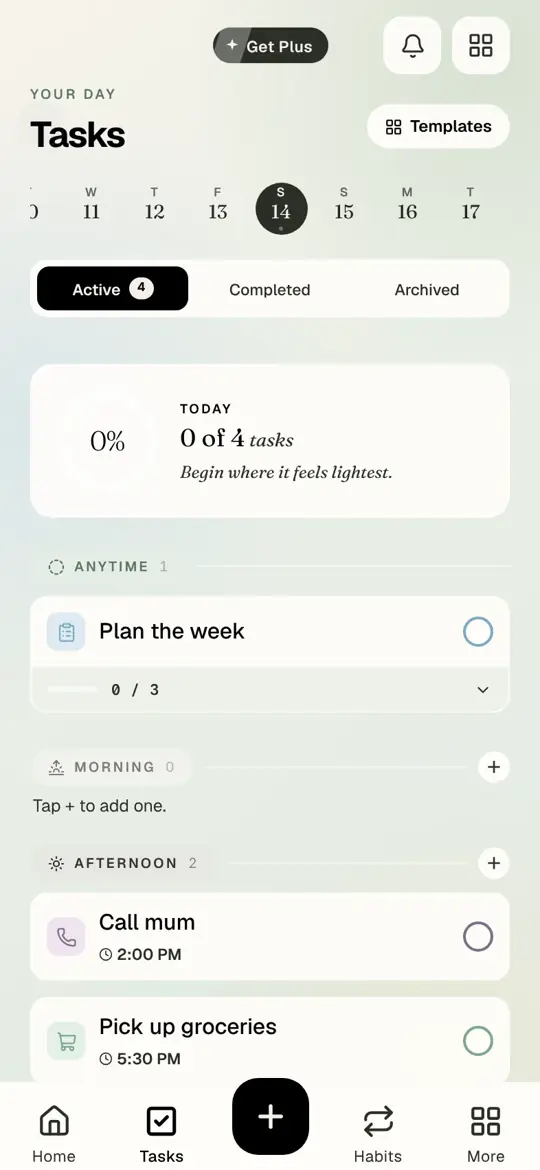
Step 1 of 6
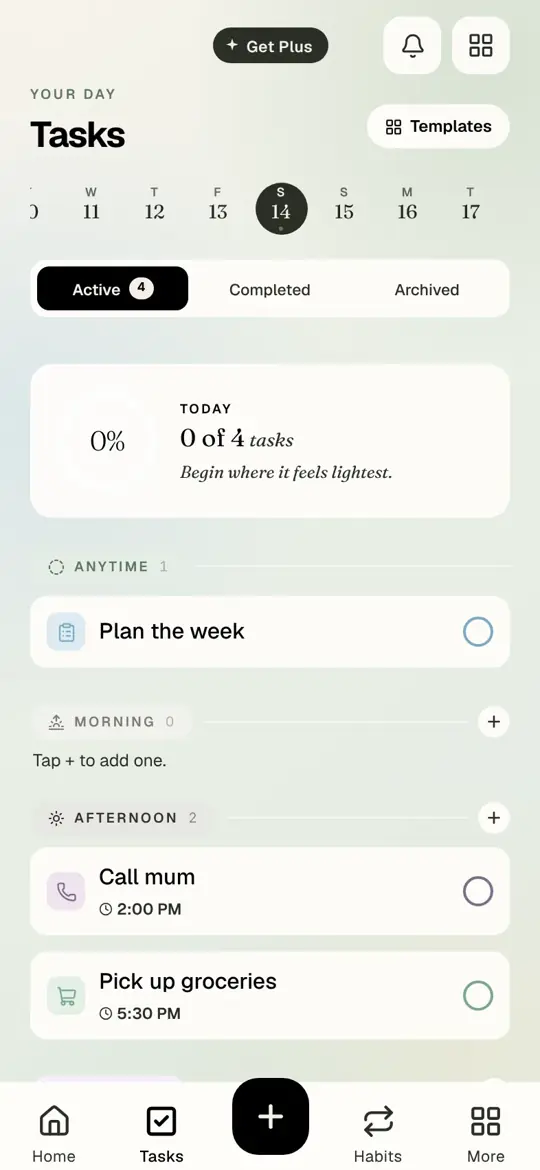
Open Tasks. Tap the name of a task.
- Open Tasks. Tap the name of a task.
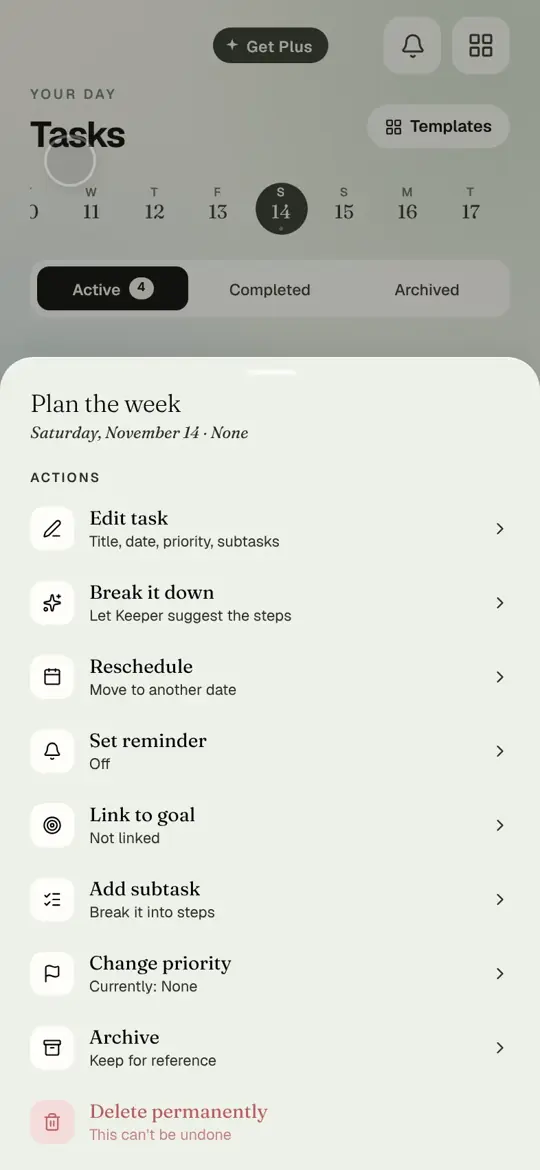
- Tap Break it down.
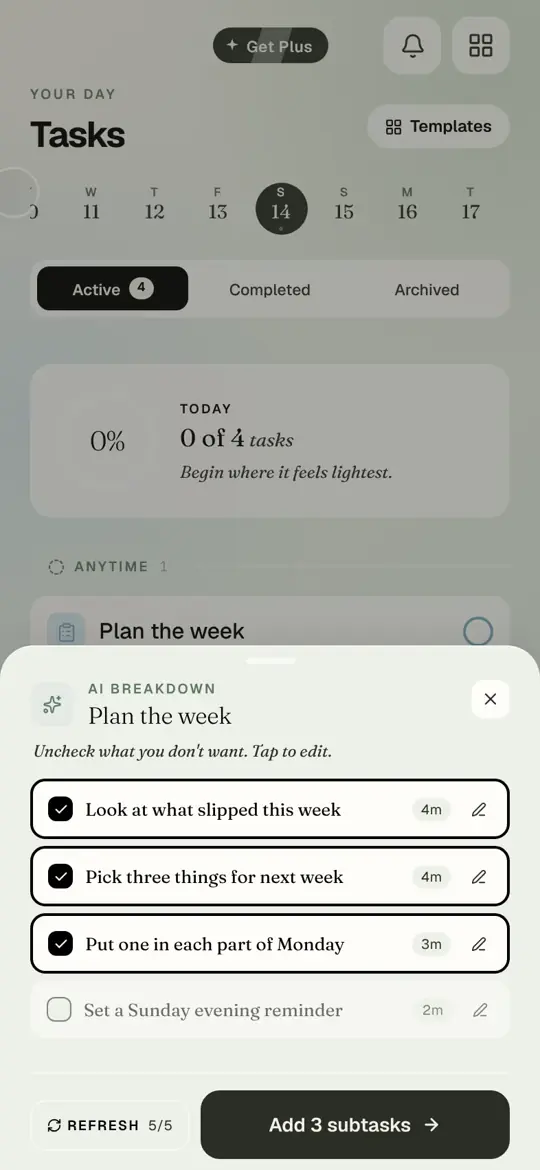
- Keeper suggests steps with a rough time for each. Tap a tick to leave a step out. Tap the pencil to reword one.
- Tap Add subtasks.
- The steps sit under the task with a 0 of 3 counter. Tick them as you go; the task completes with the last one.
- Refresh asks Keeper for a different set. You have five refreshes per breakdown.
Questions people ask
Does Keeper add anything on its own?
No. Nothing is added until you tap Add subtasks. Untick anything you do not want first.
How many breakdowns do I get?
Three on the free plan, then unlimited with Timune Plus. The same applies to goals.
Can I edit the steps afterwards?
Yes. Tap a step to rename it, or tap the task and Add subtask to add more.
tutorialKeepersubtaskstasks